Mobi PDF - PDF Scanner: Android scanning and document manager
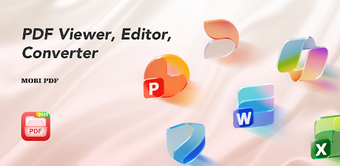
Experience a blend of scanning and document management with Mobi PDF - PDF Scanner, developed by LINYUE, designed to digitize and organize paperwork on Android devices. The app combines a built-in camera scanner, image-to-PDF conversion, and multi-format preview for PDF, Word, Excel and PowerPoint files, plus automated local file discovery to centralize documents. It also offers merge and split utilities, recent and favorite lists for quick access, aimed at students and professionals needing a mobile-first document workstation.
What document types and conversions does Mobi PDF handle?
Mobi PDF supports native previews for PDF, Word, Excel and PowerPoint, and provides image conversion that accepts JPG and PNG input. The scanner captures paper with the device camera and saves captures directly as PDF documents. For multi-document workflows, the app includes built-in utilities to merge several files into one PDF or split a PDF into separate files, enabling basic document assembly without a desktop computer.
Does it affect device responsiveness during preview or scanning?
The application is described as a lightweight utility for Android and is noted for smooth preview performance when opening office files. That suggests routine reading and quick scans operate comfortably on typical mobile hardware. The design emphasises mobile use, so common tasks such as viewing or converting a single page scan complete without requiring prolonged interaction or high device resources.
Is it safe to scan and manage documents on a personal device?
Scanning and file operations run through the device camera and file-management permissions, and scans are saved directly as PDFs on local storage. Because the app writes scanned and converted files to the device, users should expect standard permission prompts. The tool does not advertise an automatic rollback or system restore workflow, so file writes proceed as standard document saves under the device file system.
Do I need technical knowledge to operate Mobi PDF?
The interface is described as tidy and designed for streamlined document workflows, and users report a simple operating process for reading and basic editing tasks. Automated file discovery and Recent/Favorite categories reduce manual file hunting, which helps non-technical users. Advanced operations, such as batch merges or organising many files, benefit from a basic understanding of file selection but no specialised configuration is required for everyday scanning and viewing.
Mobi PDF suits mobile users who need quick scanning and document review
Mobi PDF is a practical option for students and professionals who need on-device scanning and multi-format document access; it reliably converts camera captures and image files into PDFs and centralizes local documents. One caveat: the app does not advertise a built-in backup or rollback step before modifying or combining files, so keep original copies when performing edits. In summary, it performs well for routine mobile document tasks with that precaution.